Find the moment.
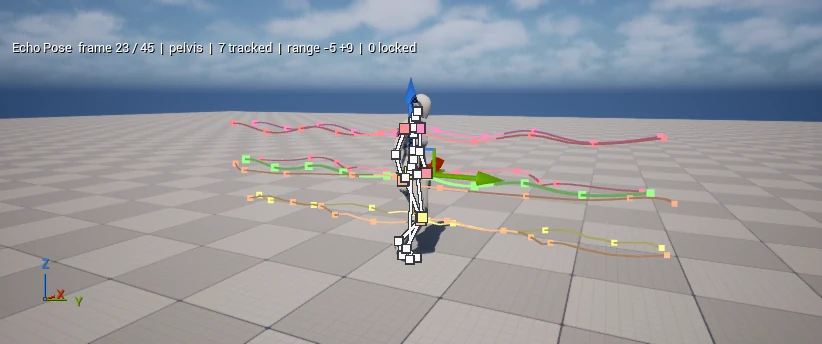
Scrub the timeline to the moment that matters. Pick a joint, then see its movement before and after the pose.
 echopose
Edit a pose.
Tween the motion around it.
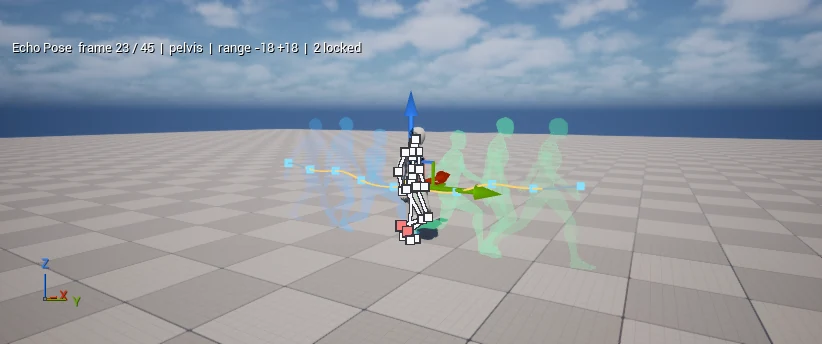
Set the range. Shape the falloff. See every change with motion paths and pose echoes.
See an edit unfold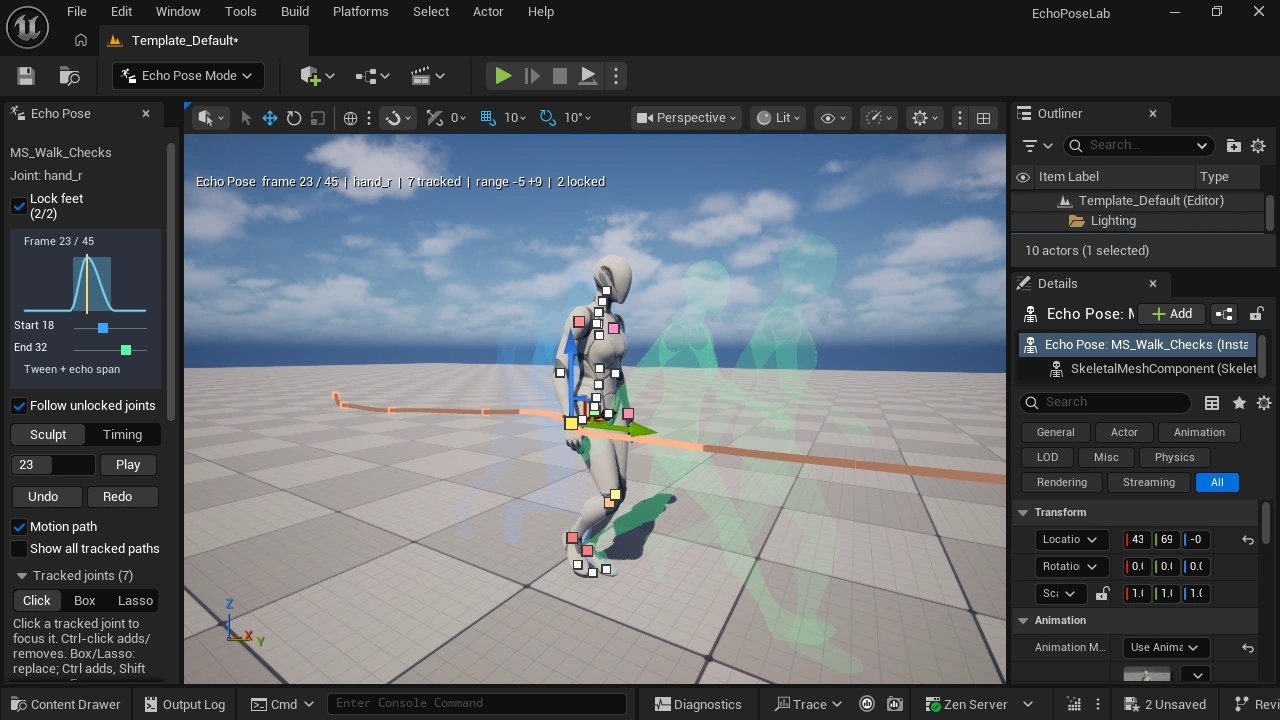
01 / IN ACTION
Watch Echo Pose working in
Unreal Engine and Blender.
Edit a pose directly in Unreal Engine. Protect the feet, reach with connected joints, shape motion paths, preview mesh echoes and adjust the timing.
Five workflows in an accelerated editing sequence · 1.35×. About the footage ↗
02 / THE WORKFLOW
Choose what changes.
Protect what already works.
Scrub the timeline to the moment that matters. Pick a joint, then see its movement before and after the pose.
Set the blend range and falloff. Then move or rotate the pose to carry the change through the in-between frames.
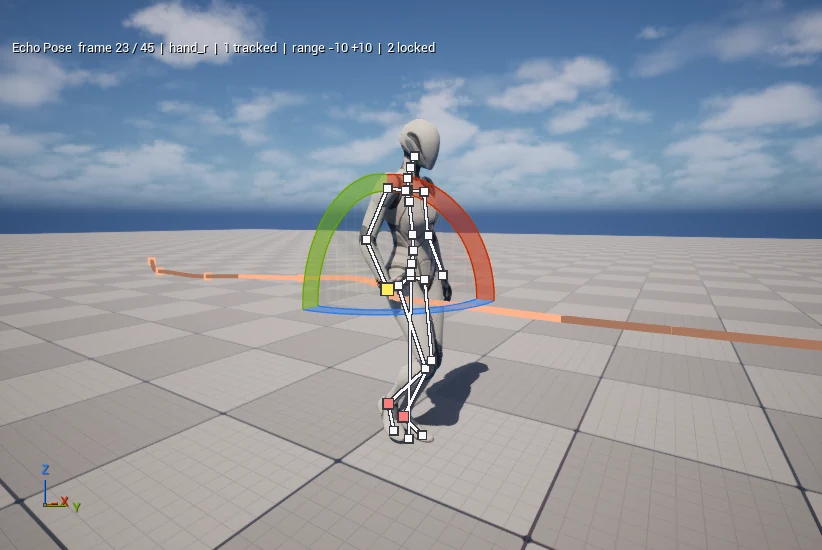
Watch the change flow through the animation. Keep the result, or undo, adjust the range, and try another direction.
03 / THE WORKSPACE, UP CLOSE
Your motion, from every angle.
Open the workspace and look closer.
Explore the tools in Blender and Unreal Engine. Capture details and credits ↗
04 / YOUR WORKSPACE
Bring expressive pose editing and timeline control into your animation workflow. Echo Pose integrates with Unreal Engine and Blender, with Godot and Unity coming next.
Explore the workflow
Shape poses directly in the editor. Follow joint paths, preview mesh echoes, and refine the timing.
Explore Unreal Engine →
Work directly with your Actions. Blend pose edits across frames with falloff, limb locks, and motion overlays.
Explore Blender →
Echo Pose's animation workflow, coming to Godot.

Pose editing and timeline blending, coming to Unity.
A FEW DETAILS
Choose a moment and set the range of frames your next edit will affect. Shape the falloff, then change the pose. Echo Pose blends that change into the surrounding movement. To try a different range on a committed edit, undo it and make the edit again.
Yes. Foot locks preserve each foot's existing position and orientation throughout the animation. A walking foot keeps its steps while you reshape the body around it.
Explore the Unreal Engine and Blender workflows above. Godot and Unity integrations are coming next. Each host has controls suited to its animation workspace; the workflow guide covers the details.
Public release details, pricing, and download links will be announced here.